Design Inspiration for Creatives Feeling Stuck
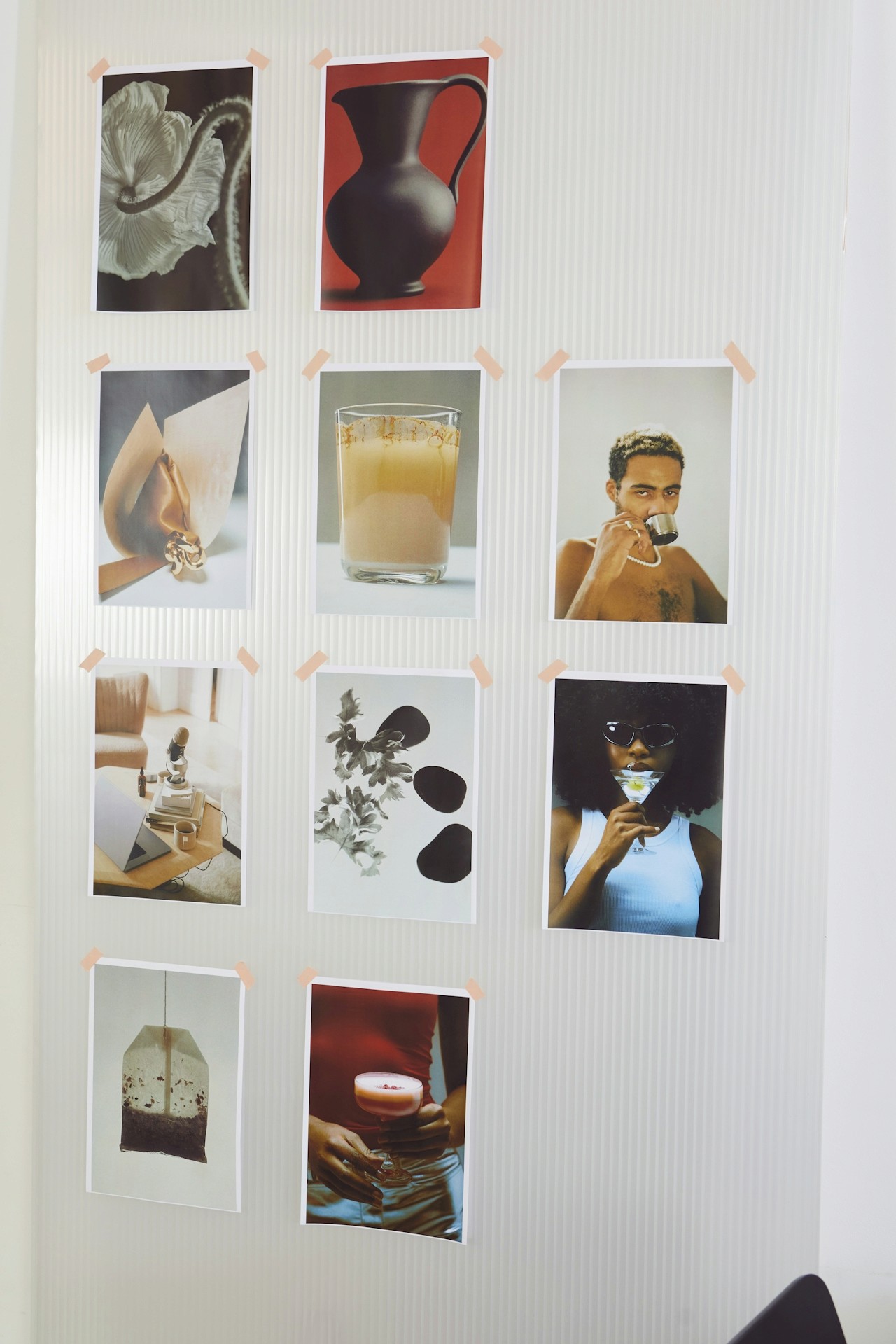
Design Inspiration for Creatives Feeling Stuck: A Moodboard-First Reset (That Actually Works)
Feeling stuck creatively? Discover proven ways to spark design inspiration—plus how Moodboard Studio helps you build fresh visual direction fast.
You’re Not “Out of Ideas”—You’re Overloaded
If you’re searching for design inspiration for creatives feeling stuck, here’s the truth: you’re not broken. You’re not “bad at creativity.” You’re just carrying too much noise.
Creative block often shows up when:
You’ve been creating nonstop without refueling
Every idea feels like it’s been done before
You’re drowning in tabs, screenshots, and half-saved references
You’re trying to “force” a breakthrough instead of designing one
You’re stuck between too many directions—and none feel right
At Ideate Workspace, we see this constantly: talented creators who can design… but can’t decide. Not because they lack ability, but because they lack clarity.
And clarity doesn’t come from more inspiration.
It comes from organizing inspiration into direction.
That’s exactly what a moodboard is for.
What “Design Inspiration” Really Means When You’re Stuck
When creatives say they need inspiration, what they usually need is one of these:
1) A visual starting point
Not a blank page. Not a new Pinterest rabbit hole. A “seed” idea.
2) A creative constraint
Creativity thrives inside boundaries. A defined vibe, style, or feeling creates momentum.
3) A pattern to follow
Design inspiration works best when it becomes a system:
collect → curate → connect → create
This is why moodboarding is such a powerful creative reset. It turns scattered ideas into a coherent visual language.
Moodboards help you:
✅ Translate feelings into visuals
✅ Find patterns in what you’re drawn to
✅ Choose a direction faster
✅ Stop spiraling and start creating
If you’ve been jumping from idea to idea, a moodboard gives you the one thing creative block steals: confidence.
Here’s a simple, repeatable method we recommend for creators who feel stuck. (And yes—this is where Moodboard Studio becomes your secret weapon.)
Step 1: Pick a “Vibe Word” (Not a Theme)
When you’re stuck, don’t start with “logo design” or “website.” Start with a feeling.
Try one word like:
grounded
electric
dreamy
clean
playful
cinematic
nostalgic
bold
This vibe word becomes your filter—your creative constraint.
Pro tip: If you can’t pick one word, Moodboard Studio makes it easy to build multiple boards fast and compare directions without starting over.
Step 2: Collect 20 Pieces of Visual Input (Quick + Messy)
This is the exploration phase. Don’t overthink it.
Look for:
typography styles
color palettes
textures and patterns
layout inspiration
photography mood
illustration styles
UI components
packaging details
editorial spreads
Goal: gather enough design references to spark patterns.
This is where most people get lost—because their inspiration is scattered across tabs, screenshots, bookmarks, and saved posts.
Moodboard Studio solves that.
Instead of juggling files and folders, you can drag-and-drop inspiration into one visual space, organize it instantly, and keep the creative flow going.
Step 3: Curate Your Board Down to 8–12 Strong Anchors
Inspiration is easy. Direction is the work.
Now ask:
Which visuals actually match the vibe word?
Which ones feel like distractions?
What repeats (type style, shape, color, mood)?
When you narrow your board, your brain relaxes.
It knows what to build.
In Moodboard Studio, you can:
group elements by vibe, color, or layout
label sections (typography / color / imagery)
compare options side-by-side
keep everything clean and scrollable
And that “scrollable” part matters—because a good moodboard isn’t a collage. It’s a story.
Step 4: Translate the Board into 3 Design Rules
This step is the shift from inspiration → execution.
Pick 3 rules that your moodboard clearly supports, like:
Typography: modern serif headline + minimal sans body
Color: neutral base with one saturated pop
Layout: airy spacing, strong grid, editorial hierarchy
Once you have these, you’re no longer “stuck.”
You’re designing with a plan.
Step 5: Create One Tiny Output (In Under 30 Minutes)
Don’t pressure yourself to “make the final thing.”
Just make a small proof:
a hero section
a logo sketch
a poster layout
a single social post
a UI card design
The goal is momentum.
Moodboard Studio makes this final step easier because the board stays open while you create—so your reference point is always visible. No tab switching. No “where did that image go?” energy. Just flow.
Why Moodboard Studio Is the Go-To Tool for Creatives Feeling Stuck
There are lots of tools that can hold images.
But Moodboard Studio is built for creators who want clarity—fast.
Here’s why it works so well when inspiration feels blocked:
✅ It turns scattered inspiration into a visual system
You can organize by style, emotion, layout, brand energy—whatever your project needs.
✅ It makes decision-making easier
Seeing everything in one place helps you spot patterns (and eliminate the noise).
✅ It supports real creative workflows
Moodboard Studio isn’t just a board—it’s a process tool that helps you move from “I don’t know” to “this is the direction.”
✅ It encourages experimentation without chaos
Build multiple boards, test different vibes, and compare options without restarting from scratch.
If you’re searching for design inspiration for creatives feeling stuck, you don’t need more ideas—you need a way to shape them.
Moodboard Studio is that way.
Creative Inspiration Boosters (When You Still Feel Stuck)
If you’re still blocked after moodboarding, try these quick resets:
1) The “Opposite Board” Trick
Make a board for the opposite of your intended vibe.
Example: If you're designing “minimal,” build a board for “maximal.”
This breaks mental loops fast.
2) Use a Weird Constraint
Pick one:
only black and white
only rounded shapes
only one font family
only high-contrast photography
Constraints create surprising design inspiration.
3) Steal Like a Designer (Ethically)
Look for structure, not exact visuals:
layout logic
hierarchy
composition
spacing
grid patterns
Moodboard Studio makes ethical referencing easier because you can categorize inspiration by principle rather than copying style.
If you’re ready to stop feeling stuck and start creating with direction, Moodboard Studio is the easiest way to turn scattered ideas into a clear visual roadmap.
✨ Try Moodboard Studio today and make your next creative breakthrough feel intentional—not accidental.